NAVER Maps, Navigation for iOS

About NAVER Maps, Navigation
South Korea’s GPS navigation Get started right away
* Experience the completely new NAVER Map.
※ Are you traveling Korea?
Don’t miss the smart tips to use NAVER Map: https://naver.me/GfCSj5Ut
[Key features]
– Map Home Menu Tab
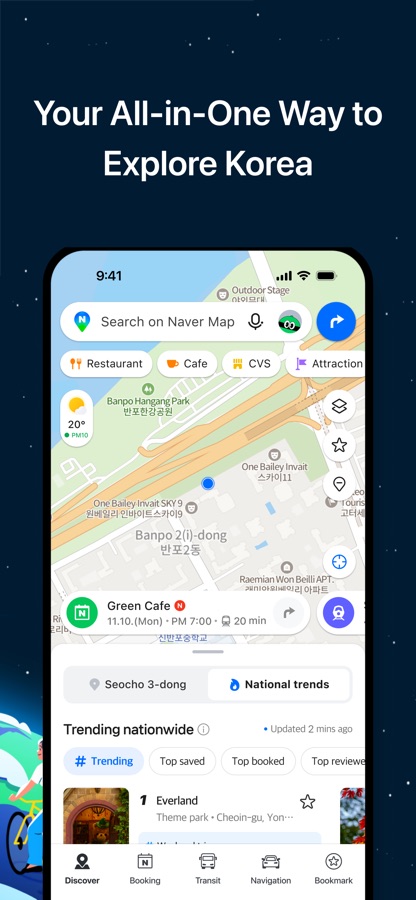
You can now conveniently use the Discover, Bookmark, Transit, Navigation, and MY tabs on the Home.
– Simplified search
Search locations, buses, subway, and more in a comprehensive search bar.
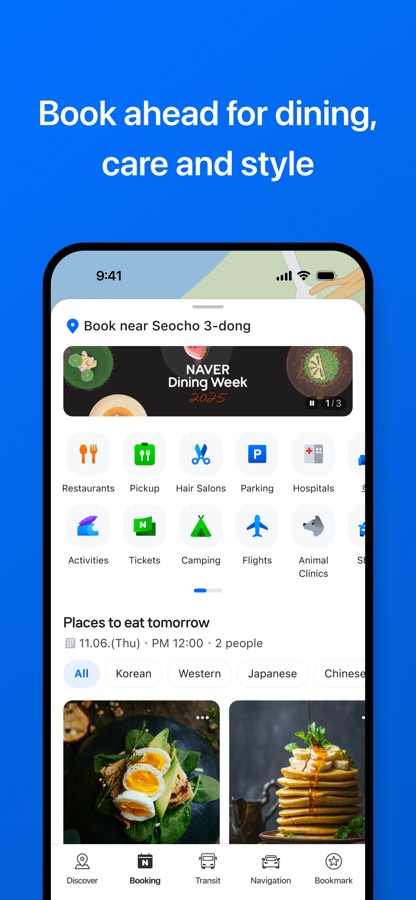
– Booking
Explore a new Booking tab, a space that brings together businesses and products available for booking on NAVER. From nearby restaurants, hair salons, amusement parks, one-day classes to even train tickets, you can find them all in one place on the booking tab.
– Discover
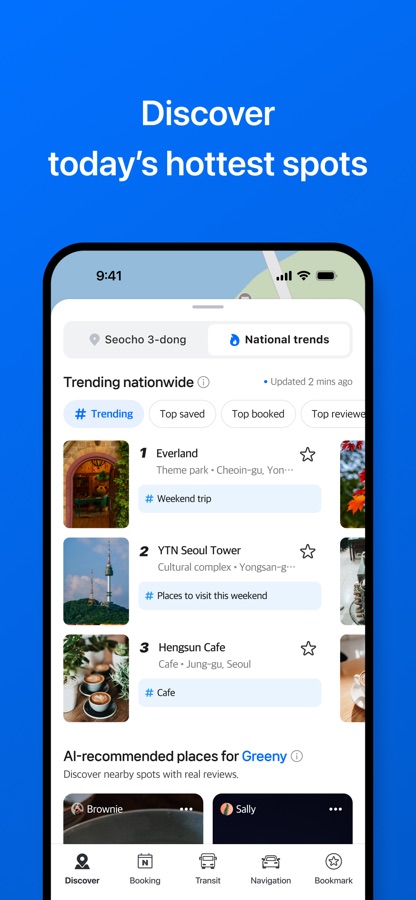
Helps you find new places nationwide and nearby. Enjoy real-time rankings, recommendation feeds, trending spots, bookmarked lists, and coupon offers.
– Navigation
Fast and accurate navigation with real-time traffic info and optimized usability for any driving condition.
– Vector map
360 degrees rotation-enabled vector map with 3D view of key landmarks via tilting.
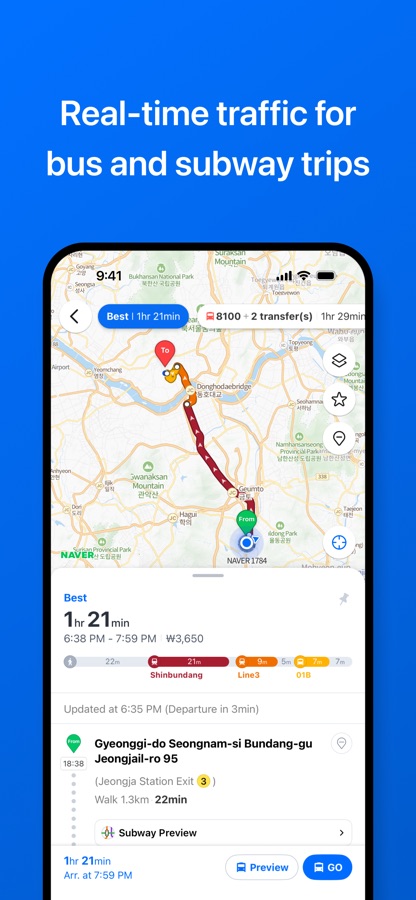
– Transit
You can easily reach your destination by using transit directions for various modes of transportation, real-time departure and arrival times, and notifications for when to get on/off.
– Street view
Seamless street and aerial views provided for location search and route planning.
– Bookmark
Easily save your best restaurants and must-visit tourist spots on NAVER Map and share them with others.
– MY
View all your maps, reviews, and bookings in one place and write reviews with ease.
– Instant search
View useful info about your query, such as opening/closing times for supermarkets while you search.
– Language
Korean/English/Japanese/Chinese maps and English navigation provided.
*Requires iOS 16.0 or later
*Find out more tips on how to use NAVER Map
– NAVER Map customer service: http://naver.me/GYywEiT4
– NAVER Map blog: https://blog.naver.com/naver_map
– Email: naver_market@naver.com
– Tel: 1588-3820
– Address: 95, Jeongjail-ro, Bundang-gu, Seongnam-si, Gyeonggi-do, Republic of Korea
* Permissions for using NAVER Maps
– Location: Used to show your location on the map so you can get directions and use navigation.
– Microphone: Used for voice search and Clova voice commands.
– Camera: Used for suggesting edits to place information, verifying MY Place receipts, providing AR directions, scanning QR codes, and verifying passports.
– Contacts: Used to make calls with Clova voice commands and to save phone numbers from place search results.
– Photos: Used to select photos for suggesting edits to place information and writing MY Place reviews.
– Motion & Fitness: Used to detect steps for AR directions and walking directions.
– Notifications: Used to send important notices, events, and promotional information.
– Allow Tracking: Used to deliver content and ads that match your interests and to limit inappropriate ads.
Download NAVER Maps, Navigation for iOS for free — the latest version (6.12.3) is now available for installation on your iPhone or iPad.
What's New in the Latest Version 6.12.3
– App stabilization and bug fixes
NAVER Maps, Navigation App Info
- Version 6.12.3
- Updated November 12, 2026
- Requires OS iOS 16.0 and up
- Category Maps & Navigation
- Developer NAVER Corp.
- Age Rating 4+